



EN
Sign in Try it

Swiss software for companies with teams in the field

Your whole day, in one app.

Who goes to which address, how many hours each one worked, and the invoice at month end — with the Swiss QR and the supplements counted.

  • 60 daysfree trial
  • No cardto try it
  • 29 CHFa month, 1 to 5 people
Two smiling housekeepers in uniform, in a bedroom.
Cleaning
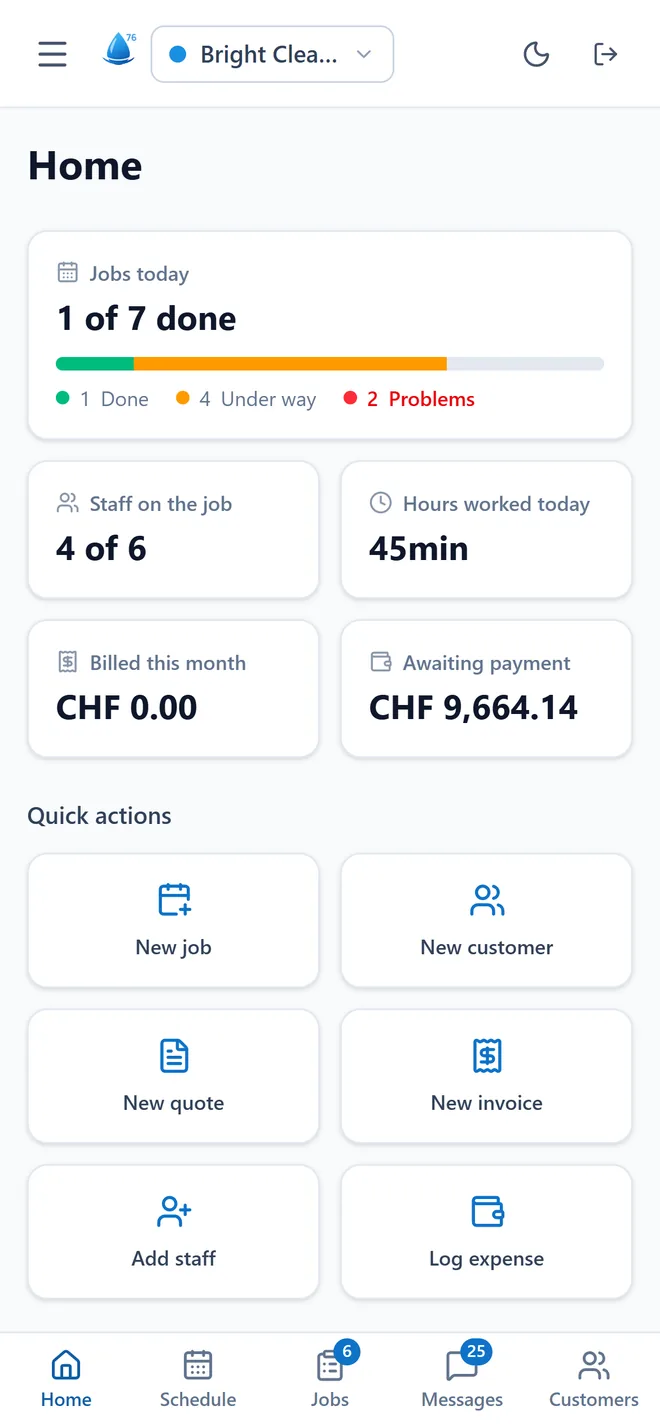
The app’s home screen: 1 of 7 jobs done, 4 of 6 people out on jobs, this month’s invoiced total.

The app’s home screen, as it is: the day in numbers, before the first coffee.

Built to work in Switzerland

  • QR bill
  • 8.1% VAT
  • Collective-agreement supplements
  • Cantonal holidays
  • Six languages
  • Data in Europe

The film · 58 seconds

A working day, from 06:58 to 19:00.

A boss’s day, told with the app’s real screens, not a mock-up. Tap a time to jump there.

Film with French subtitles. The names come from the demo account.

Do the same with your team

Control

What the team does out in the field lands on your screen.

The office sees everything. Out in the field, each person sees their own day and hours. Never the prices, never the other customers, never the invoices.

Team & hours

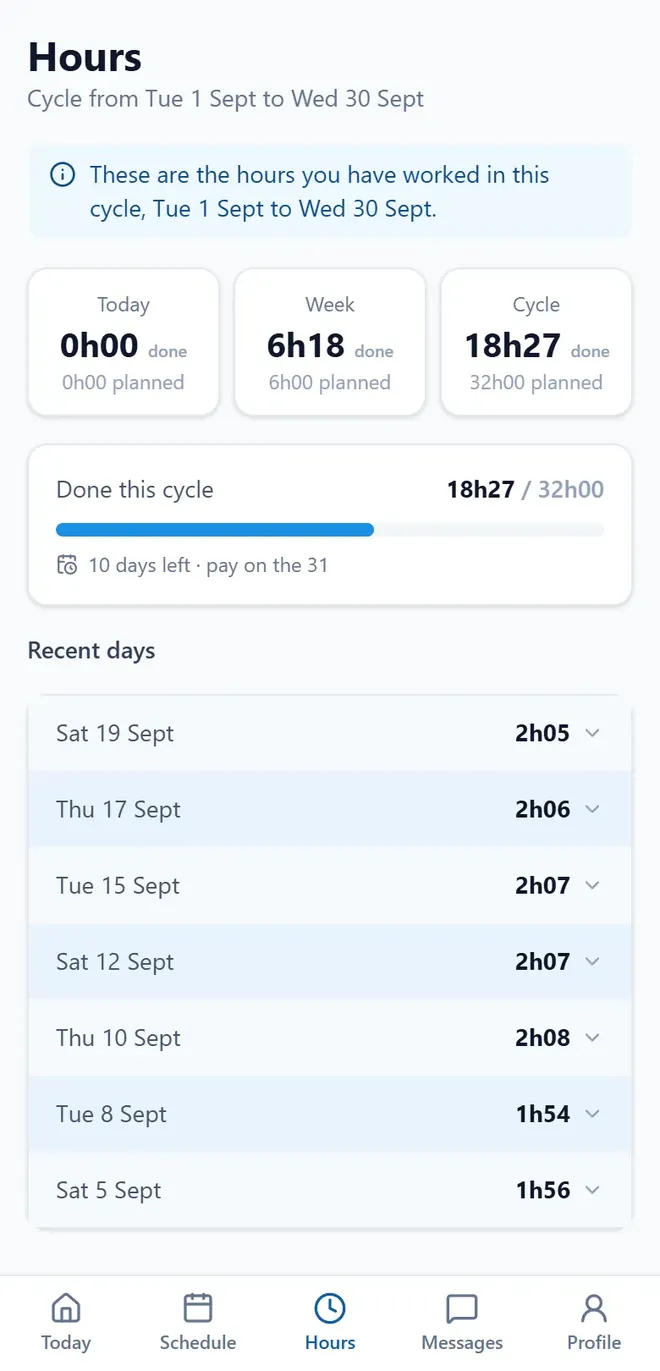
Who’s working, who’s off. And everyone’s hours.
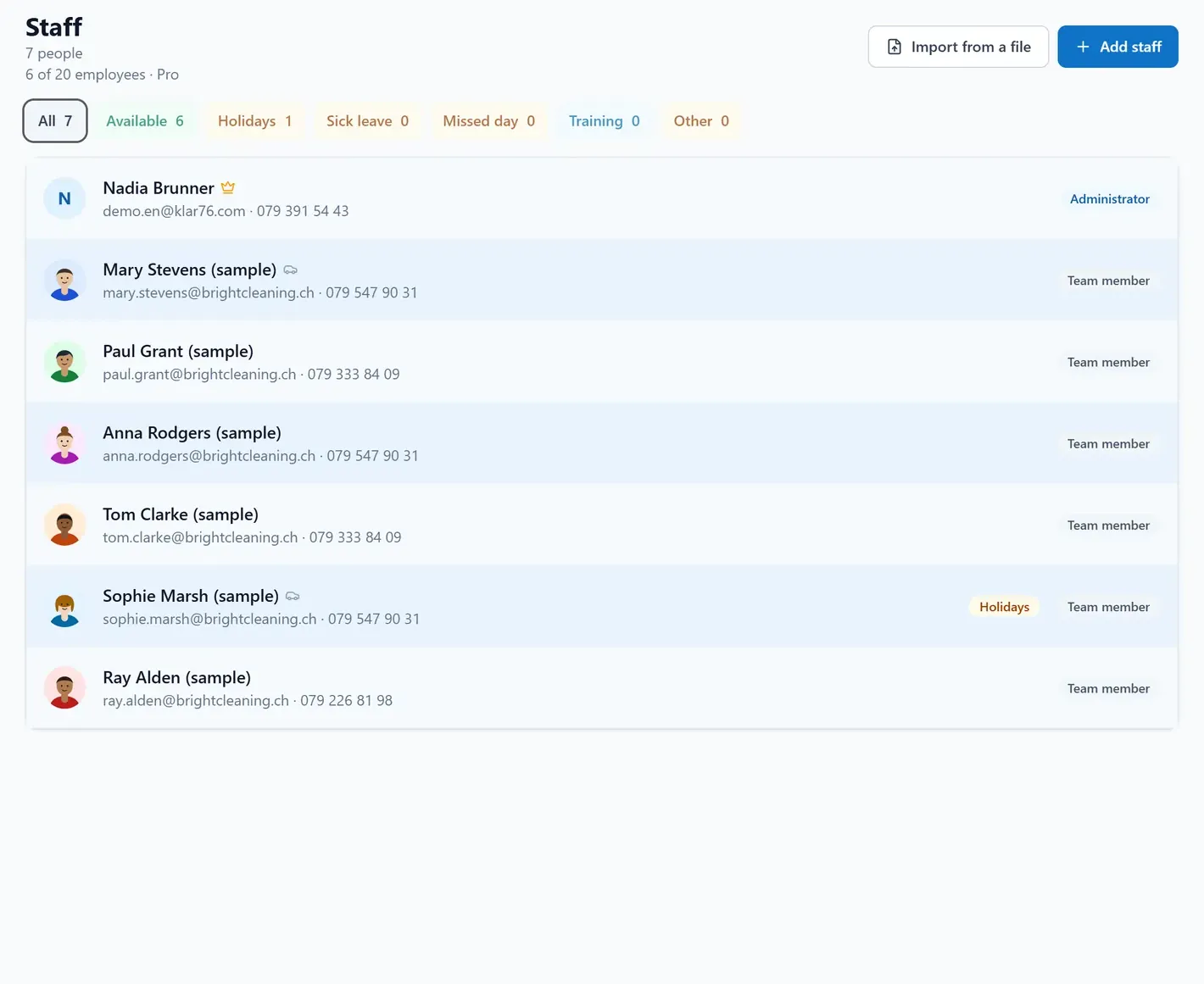
The Staff screen on a computer, with absences flagged next to the names.
An employee’s hours on their phone: today, the week and the pay cycle.

Someone calls in sick at six in the morning: you log the absence, the app shows the jobs left without anyone, and you pick who covers each one. At month end the hours are already there: night, Sunday and public holidays split out, with the percentages your company set.

  • Who’s on holiday or off sick
  • Hour corrections, approved or refused
  • A CSV export for your accountant

Schedule

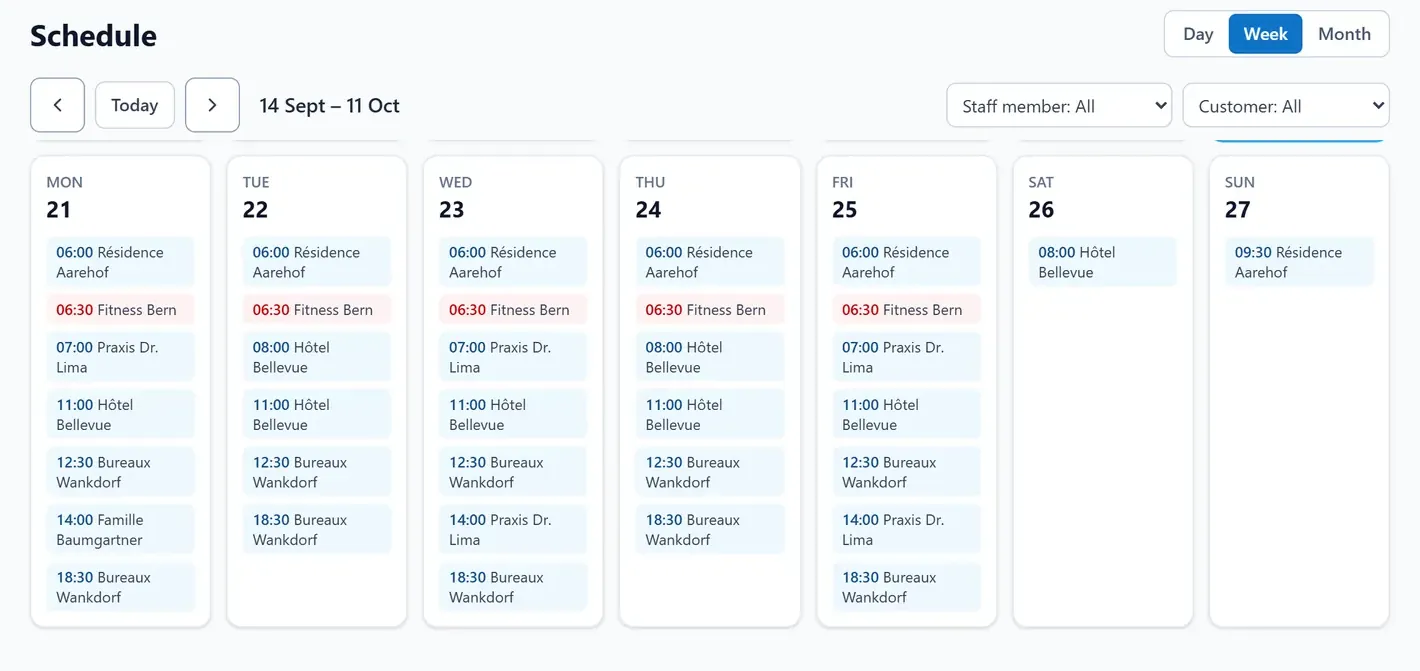
The whole team’s schedule. The gaps, in red.

The schedule on a computer, week view: short-staffed jobs stand out in red.
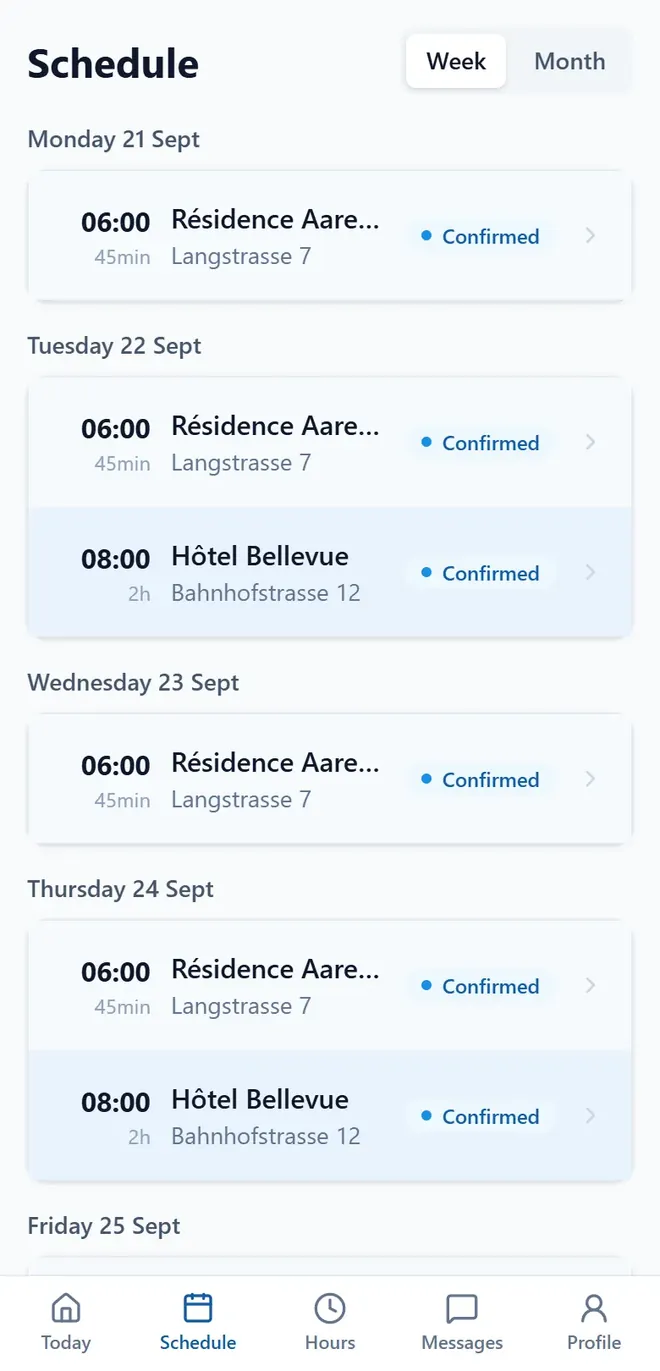
An employee’s week on their phone, day by day.

Four weeks at once: that’s how you actually plan a month of standing contracts. Recurring jobs are set up once, and short-staffed days show up in red. Before the day, not after.

  • Four weeks at a glance
  • Recurring jobs, set up once
  • Everyone sees their week on their phone

Vehicles & supplies

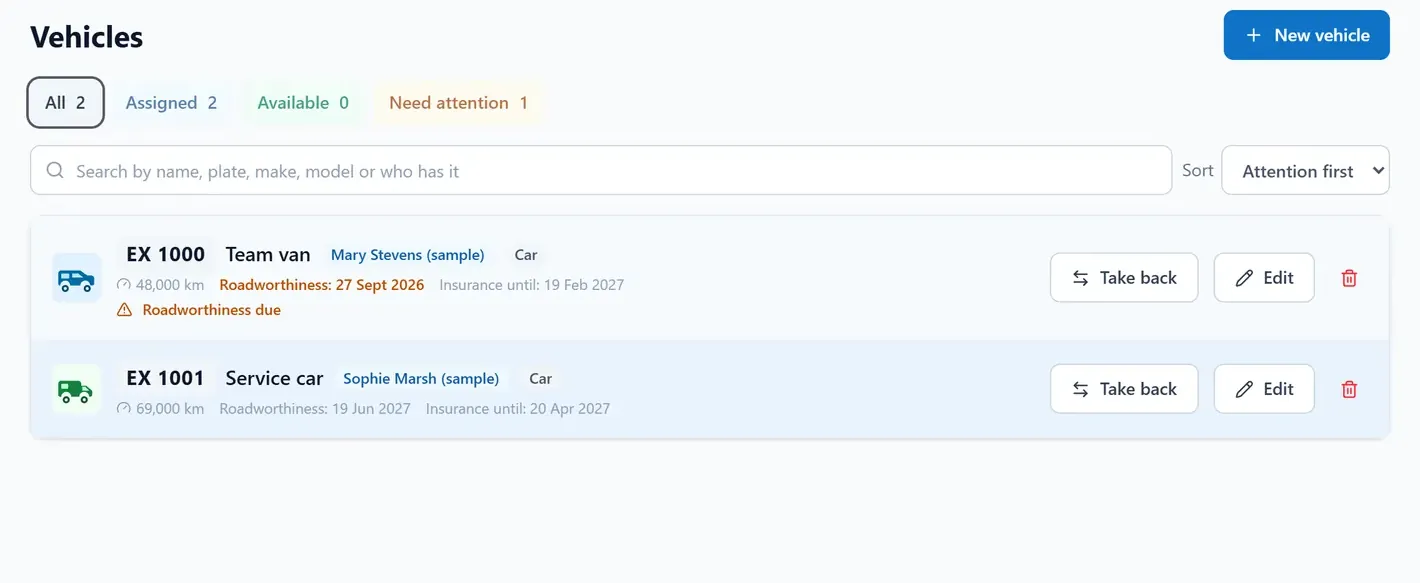
Every vehicle: who has it, the inspection, the insurance.

The Vehicles screen: who holds each vehicle, and the inspection and insurance dates.
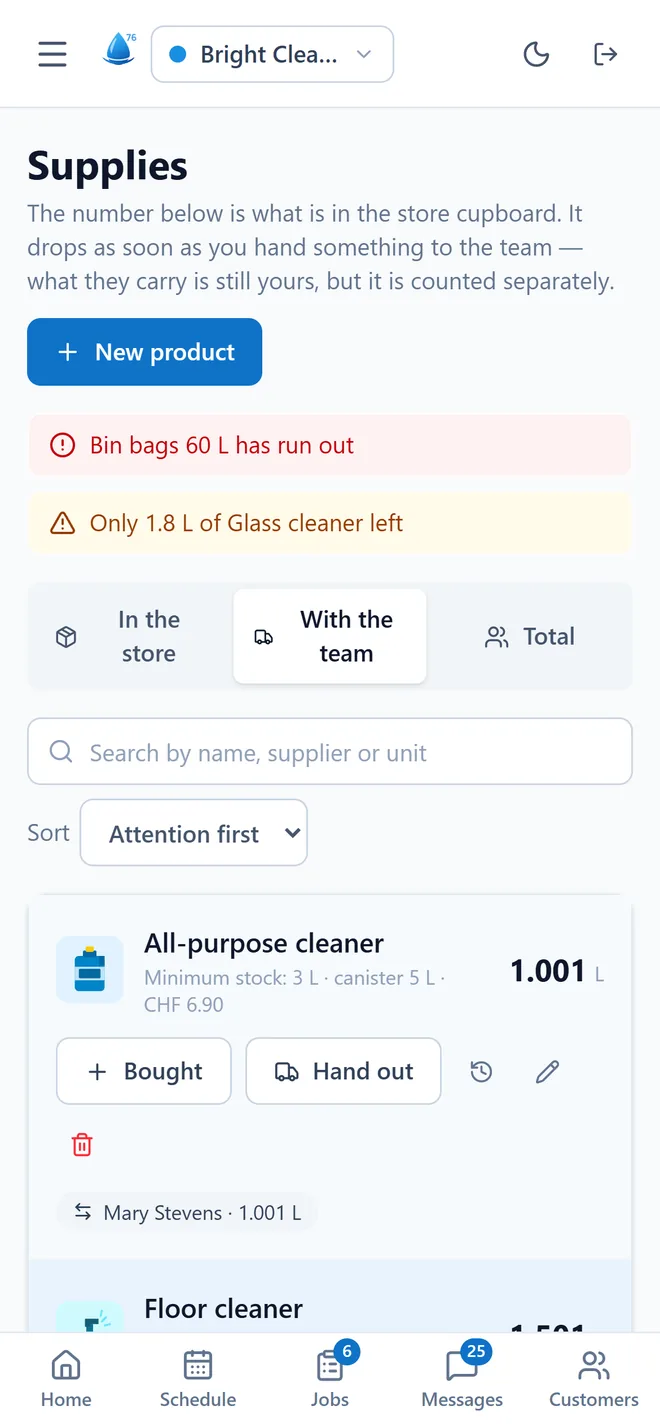
The Supplies screen: stock in the store room and out in the field, with minimum-level alerts.

Plate, mileage, service, insurance and inspection: each with a warning before it’s due. If you hand a van to someone without the right licence, the app flags it before you confirm. And the stock each person carries, with a minimum that warns you.

  • An alert before inspection and insurance fall due
  • The licence checked before the vehicle goes out
  • The supplies each person took

Photos for the customer

Your employee takes the photo. Your customer sees it.

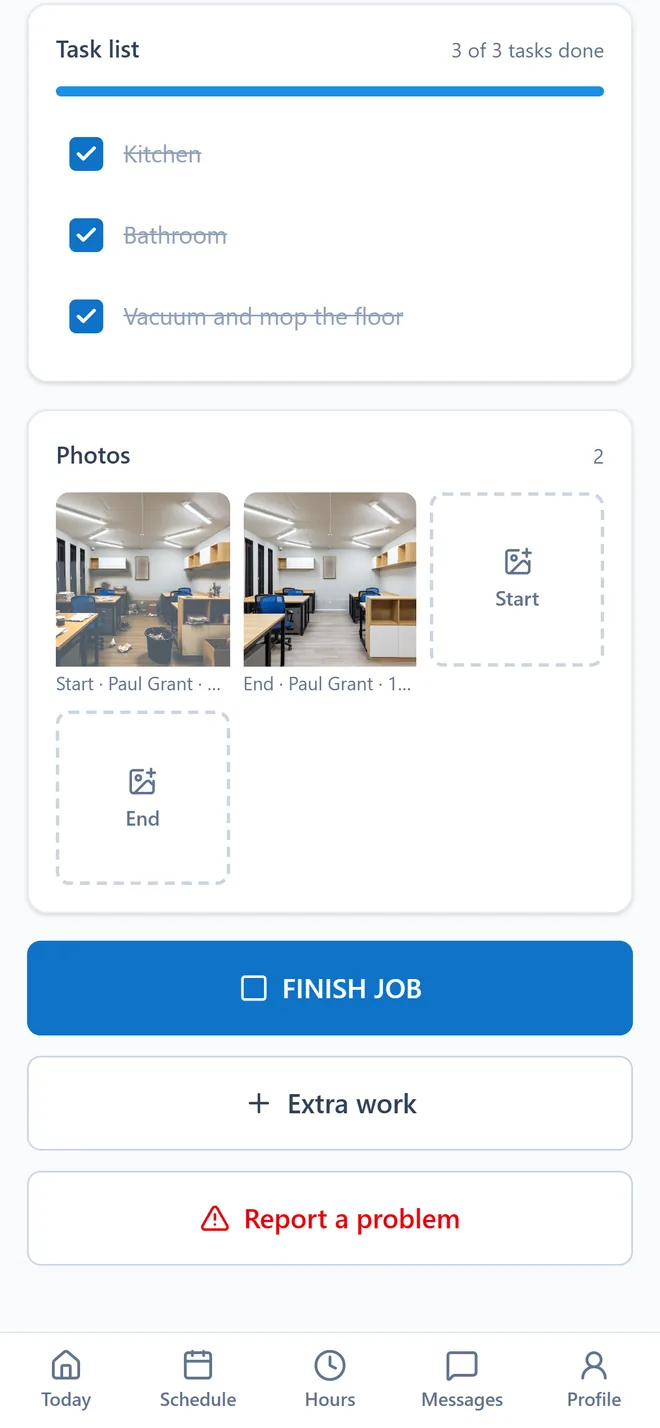
The employee’s phone: tasks ticked off, start and finish photos, the button to finish the job.
On site. Tasks ticked off, photos, FINISH JOB.
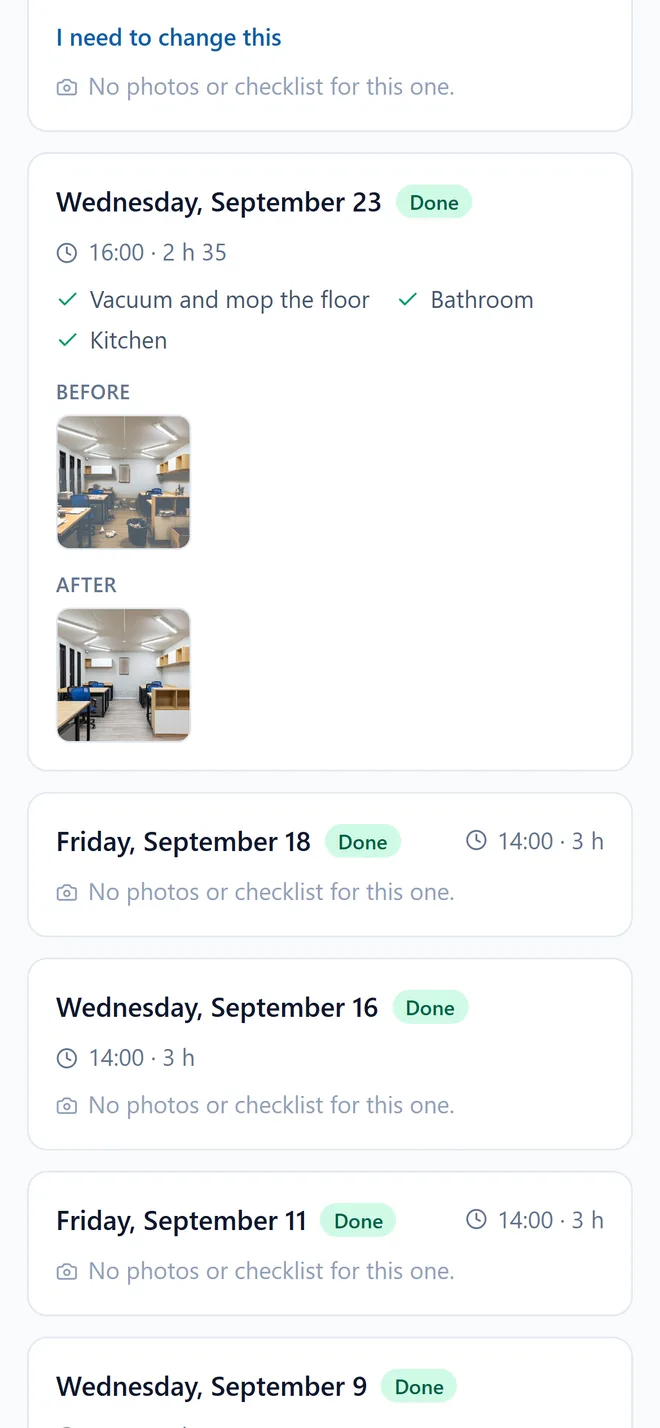
The customer’s page: the date, the tasks done and the before and after photos.
At the customer’s. Their page, with the before and after.

On site, the employee photographs the start and the finish, ticks off the tasks and taps FINISH JOB. The customer finds the before and after on their page, with no account and no password.

  • Start and finish photos
  • Tasks ticked off on site
  • One page per site for the customer
Before: an untidy living room.
Before
After: the same living room, tidied and cleaned.
After

Illustrative photos. In the app, they’re the ones your team takes.

The customer page

Your customer sees the before and after.

Every site has a fixed address where the customer sees what was done: date, duration, the tasks completed and the before-and-after photos. No account, no password. The page never shows who was there, or prices, or other sites.

From the same page they can ask to postpone or flag something. It reaches the office as a request, and you decide.

Show this page to anyone who asks you for a quote: you prove the work before you promise it.

The trades

A company with teams in the field, whatever the trade.

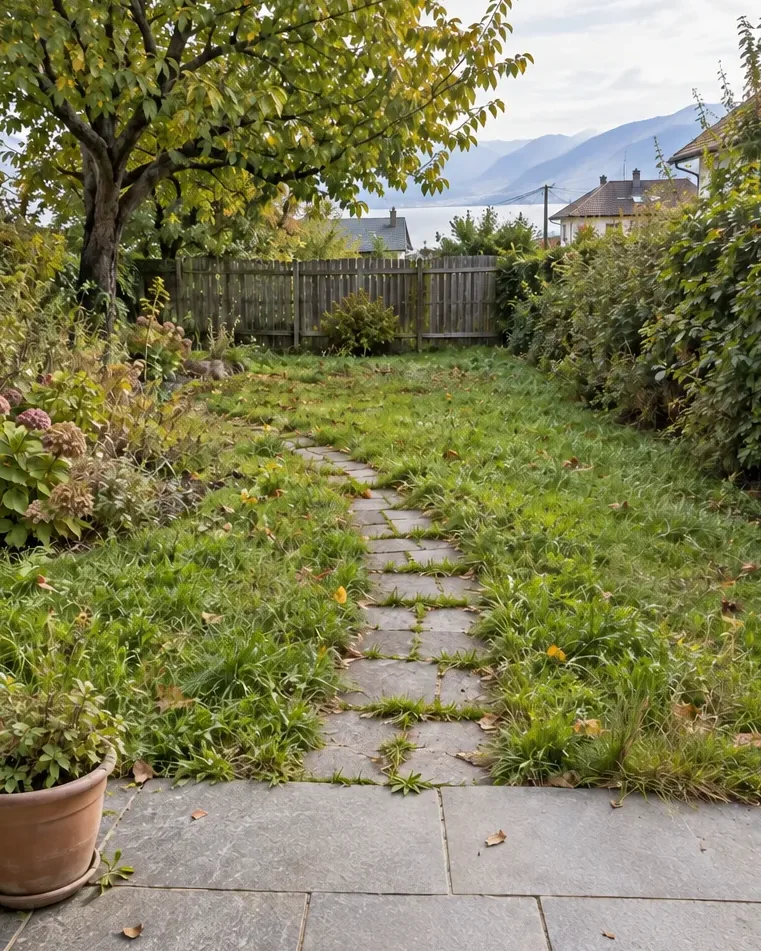
Cleaning, gardening, maintenance, building, painting, plumbing, electrical: as soon as a team heads out to customers, Klar76 keeps track of the day. One example per trade.

  • Building

    The work before and after, in photos. Without driving over.

  • Gardening

    Raining? You move the week, and everyone sees it on their phone.

  • Cleaning

    Your customers’ keys: who has them, and since when.

  • Painting

    The quote done on site, Swiss VAT included, accepted by link.

  • Plumbing

    The address, the time, the route. Nobody calls to ask any more.

  • Electrical

    The month’s hours, with the collective-agreement supplements already split out.

Swipe to see all six trades.

Six languages

You in English. Him in Portuguese.

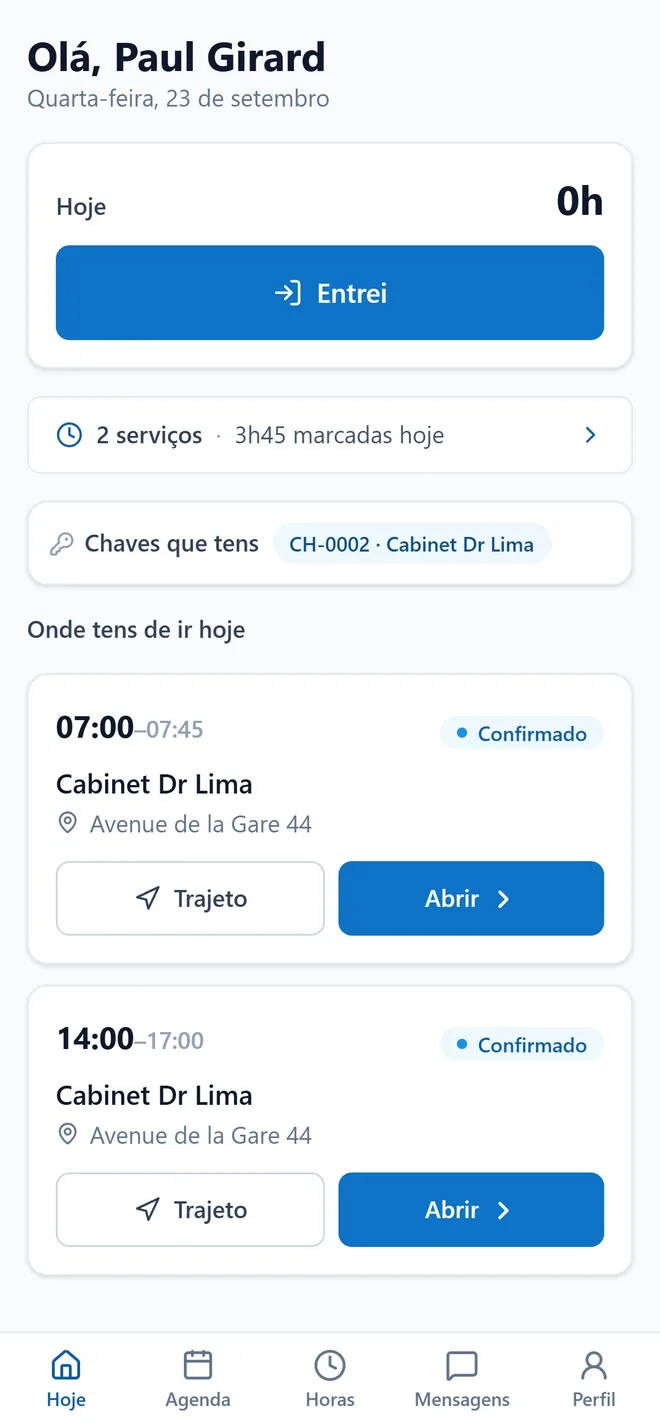
The company works in English and Paul picks Portuguese on his phone. Nobody has to learn the boss’s language to know what time they start.

Everyone switches the app’s language with one tap, in their profile. And the same invoice exists in six languages.

Français · Deutsch · Italiano · Português · Español · English

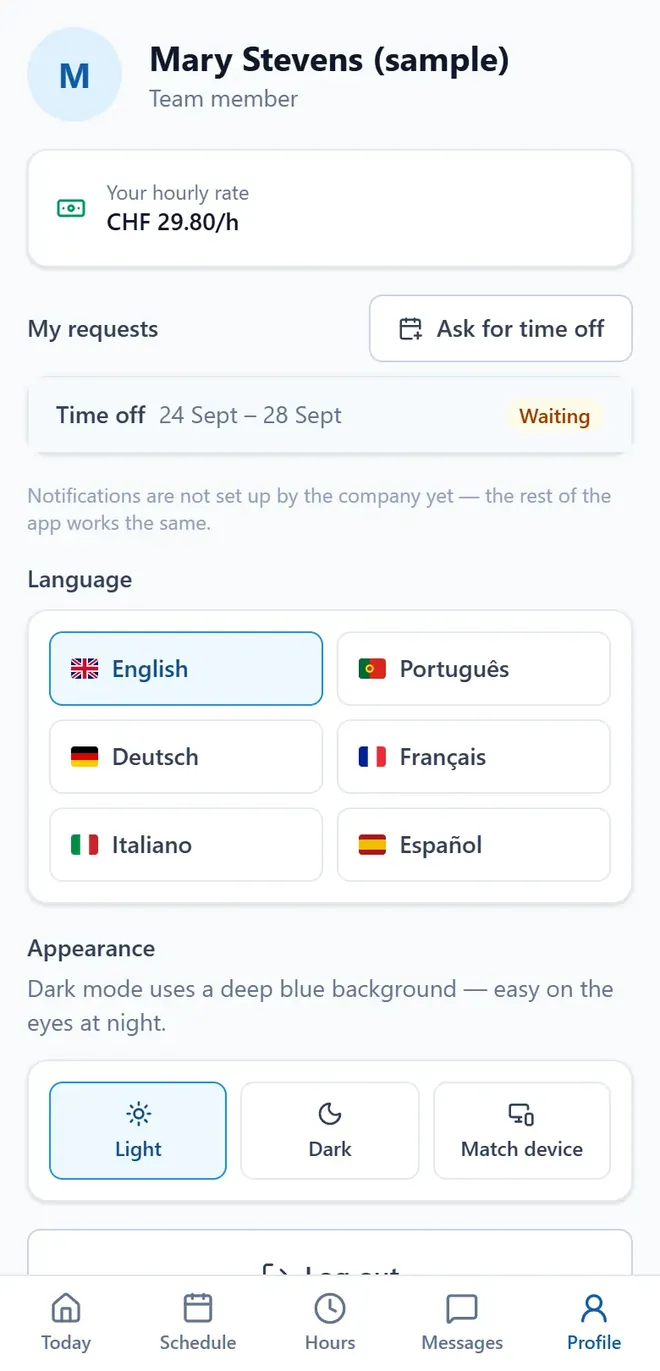
The profile screen, with English chosen as the language.
You · English
The employee’s day, in Portuguese: “Olá, Paul Girard”.
Your employee · português

Pricing

One price per team size. Nothing else.

No setup fee, no lock-in contract, no charge per invoice sent. 60 days to try it, no card needed.

2 months free

Start

Fits you

For those starting out, alone or with one helper

29CHF / month

Pay for 10 months, get 12

  • 1 to 5 employees
  • Everything the app does, nothing held back
  • Team app with notifications
  • Email support
Try it

Team

Fits you

The size most of these companies are

59CHF / month

Pay for 10 months, get 12

  • 6 to 10 employees
  • Everything in Start
  • We put your data in for you
  • Guided setup, by messages, inside the app
Try it

Pro

Fits you

Several teams, or more than one company

99CHF / month

Pay for 10 months, get 12

  • 11 to 20 employees
  • Everything in Team
  • Priority support — reply within 24 hours
  • Each customer’s value per hour, worked out for you
  • Several companies on one subscription
Try it

Business

Fits you

More than 20 people, or several locations

Custom pricing

  • Unlimited employees
  • Everything in Pro
  • Limits and terms shaped to your reality
  • A direct line to us, always on
  • Several companies on one subscription
Talk to us

And you don’t start from a blank page: the account is born with an example company so you can see the app working, and customers and staff come in from a file — with a preview before anything is saved.

Prices in CHF, excluding VAT. Monthly, cancel whenever you like — your data leaves with you.

Switzerland & data

Built to work in Switzerland. Your data stays yours.

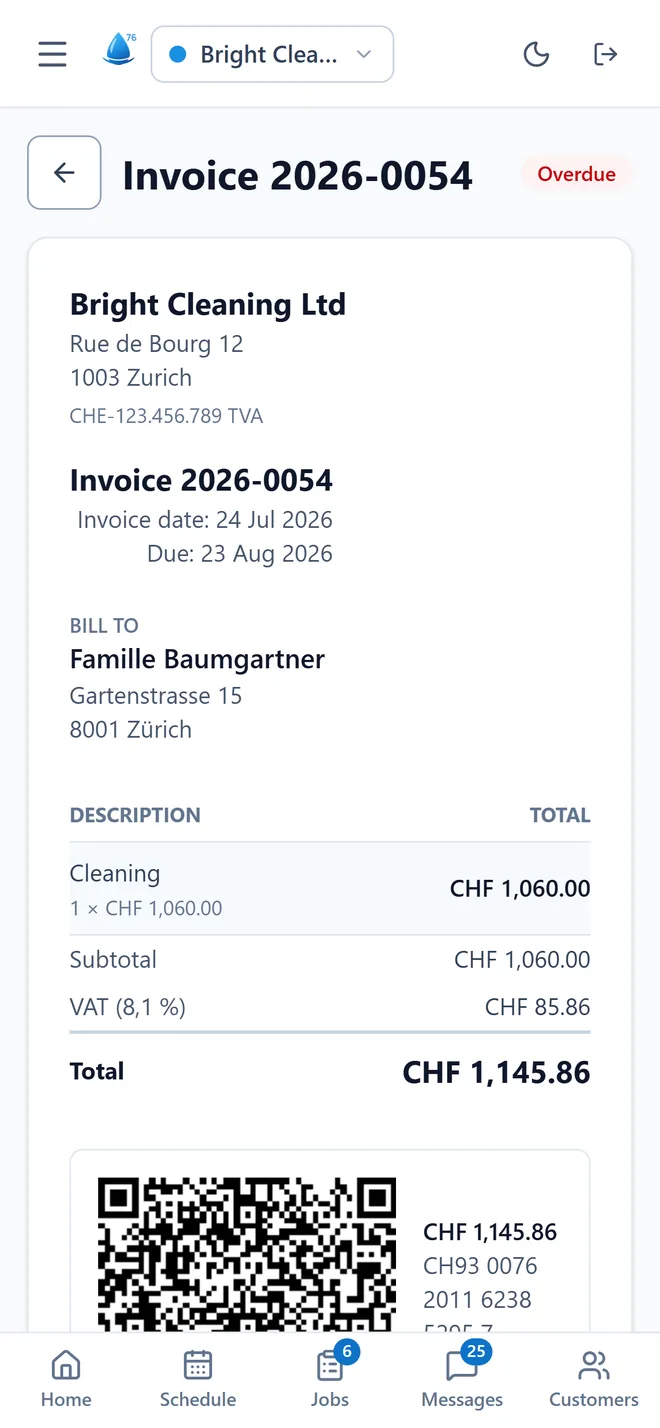
An invoice in the app, with 8.1% VAT and the Swiss QR code.
An invoice from the demo account: 8.1% VAT and Swiss QR.

Switzerland

QR bill
The code your customer scans in their banking app, generated from your IBAN with the right amount. No pasting images from another program.
8.1% VAT
The Swiss rate since 2024, with your CHE/UID number on the invoice — and the reduced rate where it applies.
Collective-agreement supplements
Night, Sunday and holidays with the percentages and time windows your company enters. The app does the arithmetic; the percentages are yours.
Cantonal holidays
The app suggests the year’s dates and you pick which ones count where you work.

Your data

In Europe
Servers and backups on European soil, under the Swiss nFADP and the GDPR. Your data and your customers’ data do not live on American servers.
Each company sealed off
Every request is scoped to the company of whoever signed in. No screen can show another’s data, not by accident and not by a guessed address.
What the team sees
Out in the field, each person sees their own day and hours. Prices, invoices and the customer list stay in the office: the server doesn’t even let them out.
Nothing vanishes without a trace
Hour corrections, closing and reopening pay cycles, handing jobs over: who did what and when stays on record.
Tested backups
Daily backups with history, and the restore has been rehearsed — a backup never restored is not a backup, it is a hope.
Leaving, with no catch
Export is a button, not an email request. Cancel whenever you like, without talking to anyone, and take your data with you.

The app

No app store
Open the link, add it to the home screen, and it stays there with its icon. Android, iPhone or computer, and notifications arrive even with the app closed.
No ads
No store, no commissions, no ads in the app.

Questions

The questions people usually ask.

My team is not good with technology.

Their app has five tabs and three big buttons: in, break, out. It is in each person’s own language, with big type and touch targets made for gloved hands. There is no manual because none is needed — and the boss sees who has clocked in without asking.

I already have everything in a spreadsheet. Do I lose it?

No. Customers and staff import from a CSV file — the one your spreadsheet exports — and before saving, the app tells you how many rows go in, how many are duplicates and how many have errors. Hours export back out as CSV for your accountant.

And if I want to leave?

Cancel whenever you want, without talking to anyone, and take your data: customers, jobs, hours and invoices in files that open anywhere. Nobody keeps a customer with a hidden button.

Does this replace my payroll software?

No, and that is deliberate. Klar76 counts the hours, separates night from Sunday, applies the percentages you entered and hands the result over as a CSV by wage type — the rest (13th salary, social deductions, withholding tax) belongs to your accountant, who answers for it. What the app removes is the spreadsheet in between.

How long does it take to get going?

An afternoon. Customers and staff come in from a CSV file — the one your spreadsheet exports — and before saving, the app says how many rows go in and how many have errors. The next day you schedule the first working day, and the team gets the link on their phones without installing anything from a store.

It’s just me running it, with two staff. Isn’t this too big?

The app does not force you to use anything. If all you want is the schedule and invoices, use that — supplies, vehicles and contracts wait for the day you need them. It grows at your pace, without changing tools halfway.

Do I need internet out on the job?

To clock in and see the day, yes — like any app. But it stays installed on the phone: it opens fast, does not download itself every time, and a weak signal in a basement does not lose what is already there.

Who is behind this?

A small team you talk to directly: no call centre, no ticket number. Klar76 is new and is being built with the first companies using it — tell us what you are missing and it ends up in the app.

By Monday morning you’ll already know who goes where.

A new account comes with an example company inside so you can see the app moving — and one button that wipes it when you are ready for the real thing.

60 days to try it · no card · cancel whenever you like.